SEO Lens
Inspect a page, locate visible issues, and turn findings into reports or actionable tickets. SEO Lens is an open-source Chrome extension with English and Persian interfaces.
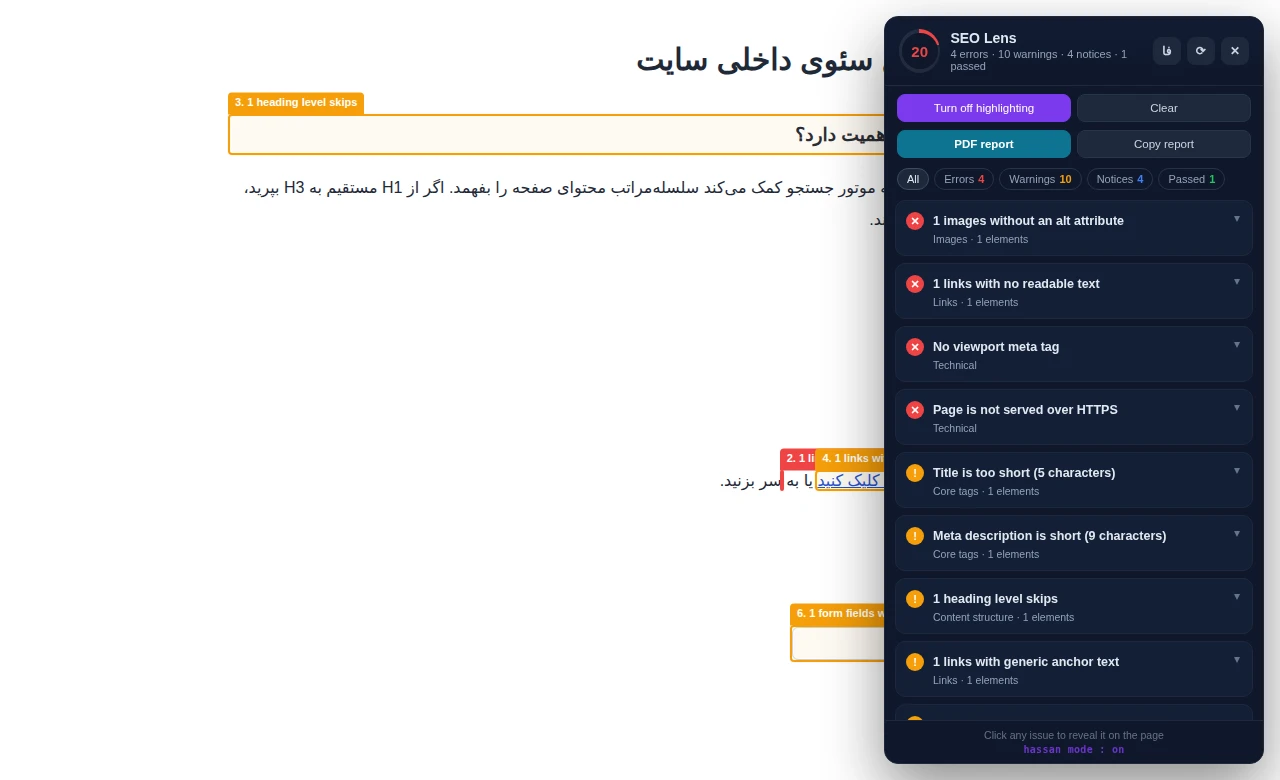
An issue list is only part of an audit. Finding the image, link, or heading behind each finding takes time too. I built SEO Lens to connect findings with their location on the page and make the results easier to hand over to a developer or client.
- 01
Locate visible issues
Highlight visible elements associated with a finding. Issues involving HTTP headers or invisible metadata are explained in the panel instead.
- 02
Inspect page structure and settings
Review titles, descriptions, headings, images, links, canonical URLs, robots directives, and selected structured-data checks. Treat findings as a starting point for technical review in the context of the page.
- 03
Review Persian and RTL pages
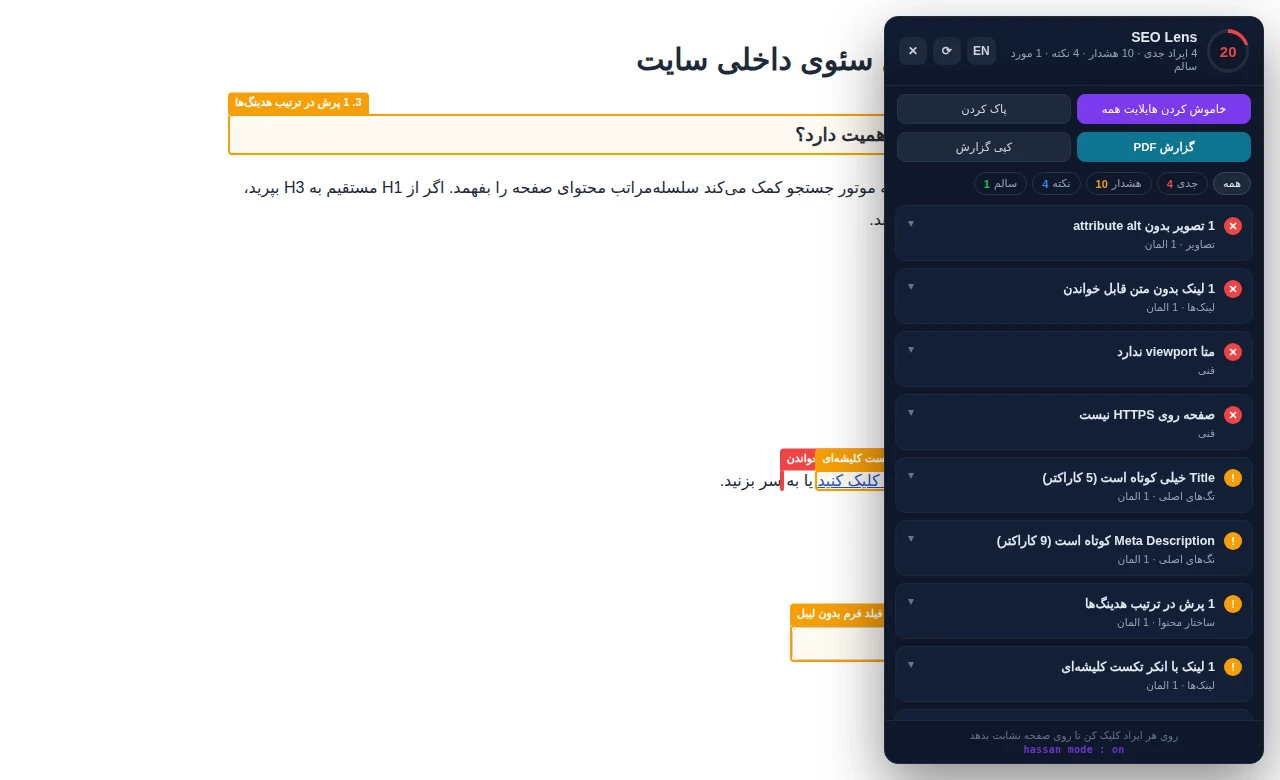
Check language and text direction, and flag selected mixed-direction text for review. Both the panel and report support English and Persian.
- 04
Compare fetched HTML with the rendered page
Inspect differences in content, headings, titles, canonical URLs, robots metadata, and JSON-LD, including changes made by JavaScript.
- 05
Export and hand off findings
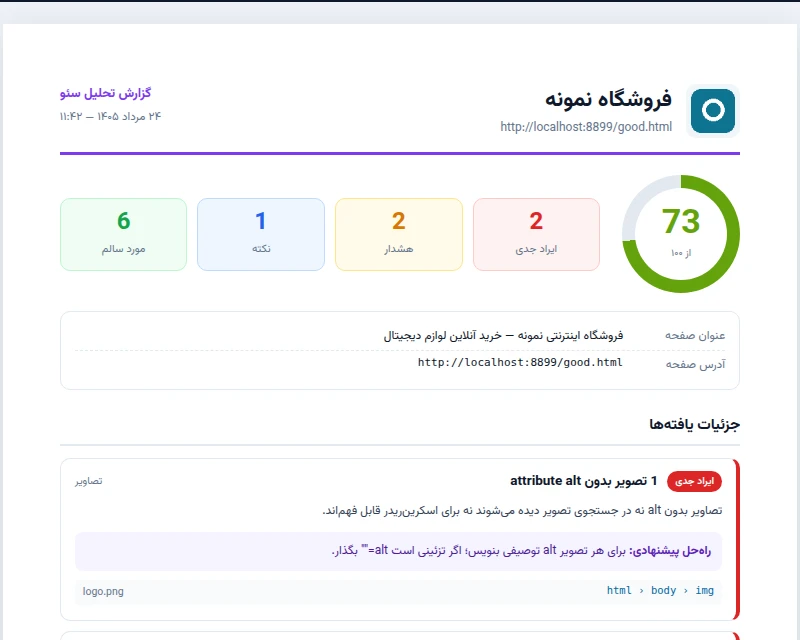
Open a print-ready report to save as PDF, choose a custom logo, export findings and image or link inventories as CSV, or copy a finding as a developer ticket.
- 06
Inspect LCP and prepare selected images
Identify the LCP element when browser data is available. For eligible same-origin images, generate a local WebP copy and download it if it is smaller. Uploading and replacing the file on the website remains a separate step.
- 1.Download and extract the extension ZIP from GitHub Releases.
- 2.Open chrome://extensions in Chrome, enable Developer mode, choose Load unpacked, and select the folder containing manifest.json.
- 3.Open a web page and click the SEO Lens icon. Review findings and highlight associated visible elements.
- 4.Apply changes, run the audit again, and share the results through PDF, CSV, or copied tickets.
Installation note: Keep the extension folder in place after installation. This is a manual GitHub installation.
Analysis runs in your browser. Page content and audit results are not sent to an SEO Lens analysis server. Some checks request the website's HTML, headers, robots.txt, or images. Your language choice and custom logo are stored locally.
- The score reflects this tool's rules. It does not guarantee Google rankings or indexing.
- SEO Lens inspects the current page; it is not a full-site crawler or a replacement for Search Console.
- The observed LCP belongs to that page visit. It is not field data or a complete INP and CLS assessment.
- WebP conversion is limited to eligible same-origin images. Savings are not guaranteed, and the website is not changed automatically.
- Pixel-width checks are estimates, not an exact preview of how a search engine will display a result.
Does SEO Lens fix my website automatically?
No. It reports potential issues and suggests changes. It can generate downloadable WebP files for selected images, but it does not update your website's code or replace server files.
Does a score of 100 mean my page will rank well?
No. The score summarizes this tool's checks. Content, competition, links, and other factors also affect search performance.
Does it work on every page?
It works on ordinary web pages where Chrome permits extension scripts. Browser-internal and restricted pages are not supported. Some checks also depend on network access and available browser data.
Does it support Persian?
Yes. The panel and report support Persian and English, with additional checks for right-to-left content.
Let's build something reliable.
Available for senior full-stack, backend, dashboard, and real-time engineering work.